The first time a student loads an approach into a Garmin panel, the gap between “I know the procedure” and “I can manage this cockpit” becomes obvious. Garmin avionics flight training is not just about learning button pushes. It is about building the judgment, scan discipline, and workflow that let a pilot stay ahead of the airplane when the workload climbs.
That matters early in training, not only when a pilot starts instrument work. A modern training aircraft with Garmin avionics gives students access to the same kind of information management they will see in many rental fleets, corporate aircraft, and airline pathway environments. But access alone does not create proficiency. Without structured instruction, students can become overly dependent on the screen, miss the basics, or struggle when something does not go as expected.
Why Garmin avionics flight training changes the learning curve
A traditional six-pack teaches foundational instrument interpretation one gauge at a time. Garmin systems change that experience by organizing navigation, traffic, terrain, weather, and aircraft data in one place. That can speed up learning, but only when the student is taught how to prioritize information instead of simply looking at more of it.
For a private pilot student, Garmin avionics often improve situational awareness. Position awareness is better. Airspace transitions make more sense. Route changes are easier to visualize. Students usually gain confidence faster on cross-country flights because the cockpit supports a clearer picture of where they are and what comes next.
There is a trade-off. Students who learn on advanced avionics still need strong stick-and-rudder skills, outside visual scanning, and the ability to cross-check raw data. Good training keeps the technology in its proper role. The avionics support the pilot. They do not replace the pilot.
That is why structured Garmin instruction tends to produce better results than casual exposure. A student who is shown how to set up pages, brief a procedure, monitor automation, and verify each step develops habits that transfer well across ratings. A student who learns by trial and error may eventually figure it out, but usually with more frustration and more cockpit saturation.
What good Garmin avionics flight training actually looks like
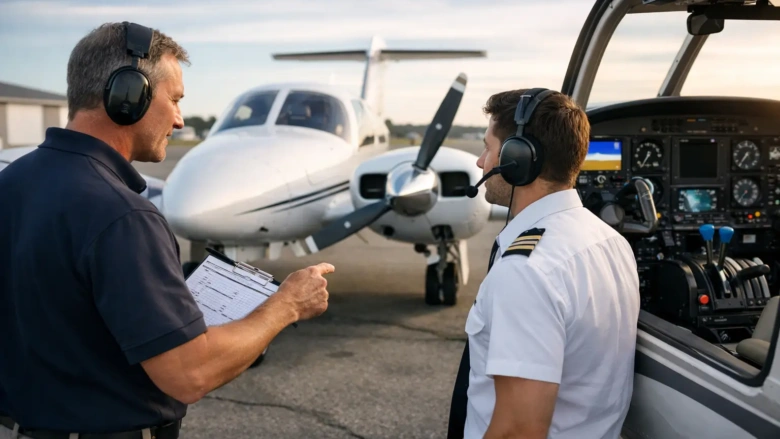
Strong instruction starts with cockpit workflow, not memorization. Before the engine starts, the student should understand what avionics are installed, what functions matter for the lesson, and what tasks will be completed on the ground versus in flight. This sounds simple, but it solves one of the most common training problems – trying to learn avionics while also trying to fly.
In practice, that means students should be taught a repeatable sequence. Set up the route. Confirm frequencies. Review the moving map scale. Understand what the autopilot will and will not do. Brief how to revert to backup indications if needed. Once that sequence becomes routine, mental bandwidth opens up for real aeronautical decision-making.
The best Garmin training also builds in scenario-based lessons. A pilot should not only know how to activate a leg or load an approach. The pilot should know when to do it, when not to do it, and what to verify before trusting the display. That distinction is where aviation training becomes professional rather than casual.
Ground instruction matters more than most students expect
Many students assume avionics proficiency is mainly built in the airplane. In reality, some of the most efficient Garmin avionics flight training happens on the ground, where there is time to slow down, ask questions, and repeat tasks without the pressure of altitude, traffic, and radio calls.
Ground sessions are where students can learn system logic. How does the flight plan sequence? What changes when an approach is activated instead of merely loaded? What cues indicate GPS guidance versus nav source changes? What happens if the pilot deletes the wrong waypoint or misses a course reversal? Those details are much easier to absorb before takeoff.
This is one reason structured schools often move students forward faster. When classroom teaching, simulator sessions, and in-aircraft lessons all reinforce the same Garmin workflow, progress becomes more consistent. The student is not starting over each time.
Simulator time can reduce expensive mistakes
In a well-run program, simulator sessions are not filler. They are a chance to rehearse high-workload avionics tasks in a controlled setting. Students can practice route amendments, holds, approach loading, missed approach sequencing, and autopilot management without burning hobbs time while they search through menus.
For instrument students especially, this can make a real difference. A pilot who has already practiced an arrival or approach setup in a simulator usually enters the aircraft more prepared, more composed, and more available to actually fly the airplane. That is a better use of aircraft time and a better path to lasting proficiency.
Garmin training by certificate and rating
Private pilot students benefit from Garmin instruction earlier than many people think. Even at the private level, students are learning cockpit management, navigation logic, and airspace awareness. Used correctly, Garmin avionics help students connect the chart, the route, and the real world outside the windshield.
Instrument students see the biggest jump in value. Garmin systems become central to procedure loading, lateral and vertical guidance awareness, course monitoring, and automation management. This is where weak habits get exposed quickly. A student who can technically load an approach but cannot verify CDI source, identify the active leg, or brief the missed approach is not yet proficient.
Commercial and CFI applicants need a higher level of command. At that stage, Garmin training is less about basic use and more about professionalism. Can the pilot teach it clearly? Can the pilot manage avionics while maintaining standards? Can the pilot adapt when the system behaves differently than expected? Employers and examiners notice the difference between button familiarity and true cockpit competence.
Multi-engine and advanced students also benefit from avionics standardization. When training fleets share a common Garmin environment, students spend less time relearning panel logic and more time refining procedures. That consistency matters if the goal is efficient progress through multiple certificates.
The most common mistakes students make with Garmin avionics
One of the biggest mistakes is heads-down fixation. Students can become so focused on the display that they stop flying proactively. Altitude wanders. Airspeed drifts. Traffic scanning weakens. Good training corrects this early by teaching students to use short, deliberate avionics interactions and return attention to aircraft control.
Another common issue is blind trust. If the magenta line exists, students may assume it must be correct. Professional training teaches verification at every step. Is the correct approach loaded? Is the transition right? Is the active leg what you expected? Does the displayed guidance match the clearance you received?
There is also the problem of learning features before mastering fundamentals. Some students want to use every page and automation mode immediately. That usually slows progress. A better path is staged complexity. Learn the core functions first, then expand capability as proficiency grows.
How to choose a school for Garmin avionics flight training
If avionics training matters to your long-term goals, ask more than whether the fleet has Garmin panels. Ask how the school teaches them. A capable aircraft is only part of the equation.
Look for a program that integrates avionics into the full training system – ground school, simulator practice, and flight lessons. Ask whether instructors follow a common cockpit workflow. Ask how students are taught to transition from visual flying to instrument procedures, and how automation is introduced without weakening hand-flying skills.
Fleet access matters too. If the school has limited aircraft availability, avionics proficiency can stall between lessons. Consistent scheduling helps students retain panel logic and build momentum. For career-focused students, that consistency often matters as much as the technology itself.
A school with a structured, professional environment will usually produce stronger avionics habits because expectations are clear from the beginning. That is especially valuable for students who plan to move from zero time into advanced ratings on an accelerated timeline.
At Riverside Flight Academy, that philosophy is straightforward: train with the equipment, systems, and discipline that support real progress. Garmin avionics are a powerful part of modern flight education, but the real advantage comes from learning them in a way that builds judgment, not dependence.
The pilots who get the most out of Garmin training are not the ones who memorize the most menu paths. They are the ones who can manage information calmly, verify what the system is doing, and keep flying the airplane with confidence when the workload rises. That is the kind of skill that stays with you long after a lesson ends.